
Fancy Viewer: a fast Windows image viewer for large photo collections
Stays fast in folders with thousands of photos, on local disks, FTP/SFTP servers and network shares. Opens PNG, JPEG, HEIC, WebP, EXR, DPX, TIFF and more, and decodes images in a sandbox.
Download for Windows (64-bit)Version 1.8.0.41 · MSI installer · free · Other downloads ↓

Downloads
The binary distributions are available here:
| Version | Architecture | Operating System | Filename | SHA256 | Action |
|---|---|---|---|---|---|
| 1.8.0.41 | x64 | Windows | Fancy-Viewer-Release-amd64-1.8.0.41.msi | f3a741c4a0092d21cd9667f9dea1def5 | Download |
| 1.8.0.41 | x86 | Windows | Fancy-Viewer-Release-x86-1.8.0.41.msi | 95e6c06096acab45b5e2293392f71c50 | Download |
Loading the list of downloads…
The list of downloads could not be loaded. Please reload the page, or write to developers@fancy-viewer.com.
Windows Releases require Microsoft Windows 7 or newer.
Fancy Viewer is freeware: free for personal and commercial use. License · Open-source components
Features
Fancy Viewer is a viewer, not an editor: it never changes the contents of your images. Rotation is only remembered, not written to the file. Files are changed only when you ask for it: delete, rename, copy or move.
File Formats Support
The tool supports a variety of formats including PNG, JPEG, GIF, WebP, HEIC, SVG, DPX, EXR and TIFF.
PDF, DOCX and Text Previews
PDF, Word (DOCX) and plain-text files get page thumbnails next to your photos and open in the viewer. Double-click a local document to open it in its default Windows app.
Filesystem Explorer
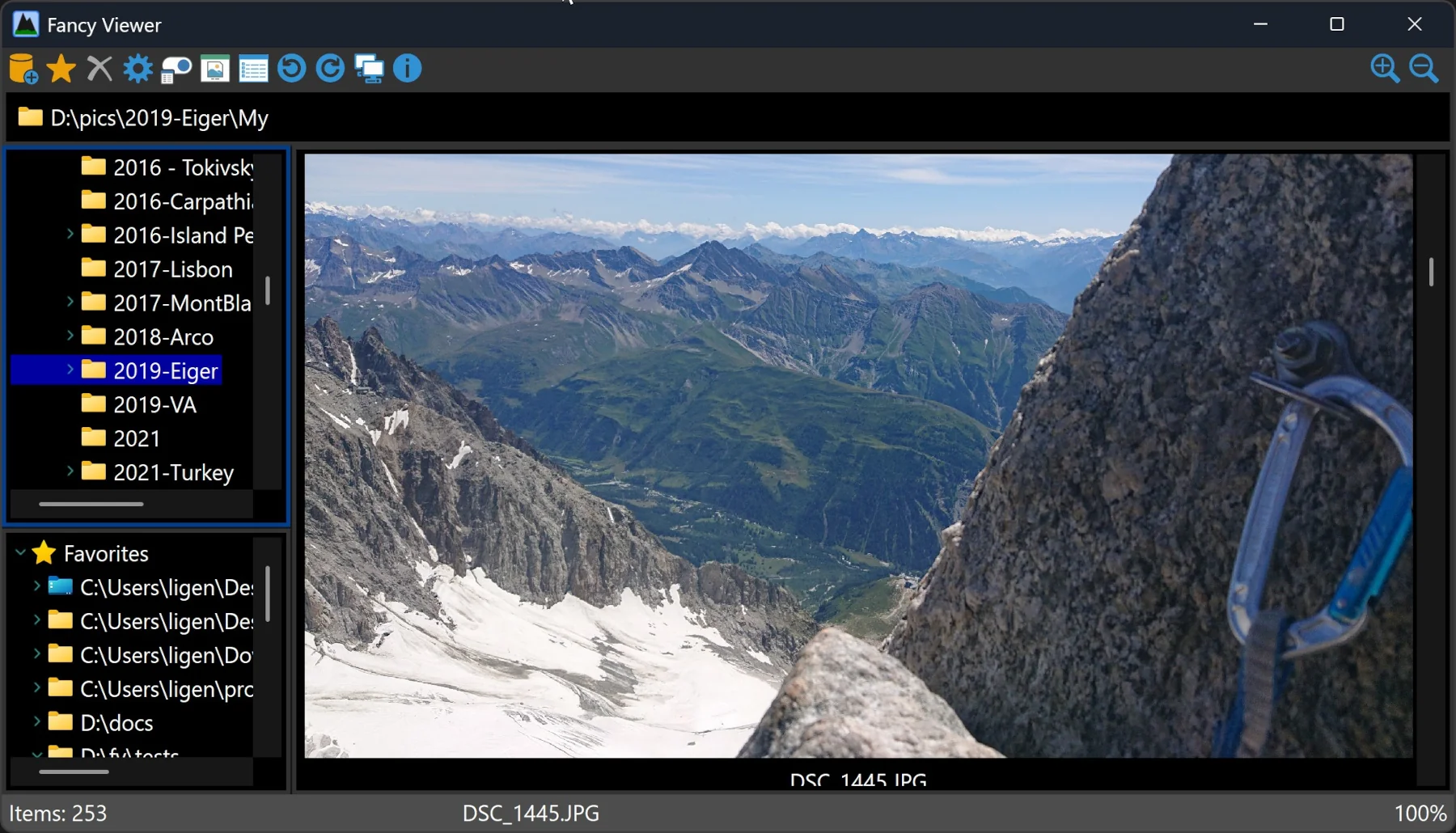
Filesystem Explorer pane shows local folders as a tree data structure.
Favorite Folders
You can add your favorite folders to the Favorites pane for easy access.
Image Viewer
Zoom in and out; the next and previous images load in the background, and animated GIFs play.
Rotate/Auto Rotate Features
The software reads EXIF orientation values and rotates photos accordingly, but you can also rotate a photo manually. Note: the tool doesn't modify a target photo, it just remembers how to show it.
Phones, Cameras and USB Devices
Browse photos on a phone or camera connected over USB (MTP) and on other devices shown in Windows Explorer. Copying and opening photos don't wait for a big folder to finish loading.
FTP, FTPS, SFTP and Network Shares
You can view folders on FTP/FTPS servers, over SFTP (SSH) and on SMB network shares, including \\server\share paths typed in or passed on the command line. More about FTP, SFTP and network folders →
EXIF Properties Viewer
The tool can show EXIF tags of the image selected.
Light/Dark/System Theme
The tool detects the default system theme and uses it, but you can also switch themes manually.
4K+ Monitor Support
The software has been tested with 4K monitors and can be used on monitors of different sizes.
Adjustable Icon/Font Size
You can adjust icon sizes and font size to whatever you like.
Tagging
You can assign tags to files and folders for easy classification.
Security
We care about security. The application uses sandbox features to ensure that image processing is performed with the least amount of privileges available.
About Us
Fancy Viewer is developed by a small team of engineers from Ukraine. We use it every day ourselves and keep improving it with every release.
Don't hesitate to contact the authors with any questions or feature requests: developers@fancy-viewer.com